Why your marketing emails go to spam, and how to fix it
By Michal Krkoska16 min read
A store owner posted this on the Klaviyo forum: four months of campaigns with open rates over 50%, then one day both new campaigns went straight to the spam box. In their words, everything was done as usual.
Something had changed, of course. It just wasn't anything you can see in the email itself. That is why most "spam fix" advice is useless: it tells you to rewrite your subject line, when the mailbox provider decided long before it read your subject line.
This guide is an ordered check. First you find out whether you even have a spam problem, then who is filtering you, then you fix the causes in the order that matters: authentication, list quality, volume, and only last, content. I use Klaviyo for the clicks, but the logic is the same for Mailchimp and Shopify Email. The checks take about 30 minutes. The recovery takes a few weeks of sending to the right people.
First: is it spam, or just the Promotions tab?
These are two very different things, and people mix them up constantly.
- Spam (or Junk in Outlook) means the mailbox provider thinks your mail is unwanted or dangerous. Few people ever look there.
- Promotions is a tab in Gmail's inbox. Gmail sorts mail into tabs based on who it comes from, what type of content it is, and how people interacted with similar mail. A discount email from a shop is a promotion. Gmail is putting it exactly where it belongs.
My opinion: stop trying to escape the Promotions tab. A marketing email landing in Promotions is working as designed. People who want deals go there to find them. Tricks to get into the Primary tab (plain text, fake "Re:" subjects, no images) make your email worse, and Google's own sender rules say not to use "Re:" or "Fwd:" on messages that are not replies or forwards (Google's sender guidelines).
So the first check is simple. Send yourself the campaign at a Gmail, an Outlook and a Yahoo address you control (ask a friend if you don't have them). If it lands in Promotions, you don't have a deliverability problem. If it lands in Spam or Junk, keep reading.
One warning: your own inbox is a sample of one. Your test address has never opened your emails, so it may treat you worse than your real customers do. Use it as a hint, then confirm with the numbers in Step 1.
The rules the mailbox providers actually publish
Gmail, Yahoo and Microsoft have all written down what they expect from anyone who sends a lot of mail. A bulk sender is, roughly, anyone who sends a lot of mail to that provider's users. Google and Microsoft draw the line at more than 5,000 emails a day. Yahoo gives no number. Even if you are smaller, follow these anyway. They are the baseline, not a bonus.
| Requirement | Gmail | Yahoo | Outlook, Hotmail, Live |
|---|---|---|---|
| SPF and DKIM | Every sender needs at least one. Bulk senders need both. | Every sender needs at least one. Bulk senders need both. | Both must pass, for senders above 5,000 emails a day. |
| DMARC | Required for bulk senders. The policy can be p=none. The From domain must align with SPF or DKIM. | Required for bulk senders, at least p=none, and it must pass. | Required, at least p=none, aligned with SPF or DKIM. |
| Spam complaint rate | Keep it below 0.10%. Never reach 0.30%. | Keep it below 0.3%. | Not published as a number. |
| One-click unsubscribe | Required for bulk marketing email, plus a clearly visible link in the body. | Required for bulk senders. Honor unsubscribes within 2 days. | A clearly visible way to unsubscribe is expected. |
| Source | Google's sender guidelines | Yahoo's sender best practices | Microsoft's announcement |
Read the complaint numbers again. 0.3% is 3 complaints per 1,000 emails. 0.1% is 1 per 1,000. That is a tiny margin, and it is the single number that matters most. Google says plainly that keeping a high spam rate leads to more spam classification, and that improvements take time to show up (Google's sender guidelines).
Microsoft's rule is newer and has teeth: since May 2025, mail from high-volume senders that fails these checks goes to Junk, and Microsoft says it will later be rejected outright with the error 550 5.7.515 (Microsoft's announcement).
Step 1: Find out who is filtering you
Before you fix anything, find out whether the problem is everywhere or at one provider. This decides everything that follows.
In Klaviyo:
- Click Analytics in the left bar, then Deliverability.
- Click Reports.
- Set Time period to the last 30 or 90 days.
- Set Message category to Inbox Provider. (The other option, Email Domain, splits by the part after the @, which is useful for providers with many domains.)
- In Category value, pick one provider at a time: Gmail, then Microsoft, then Yahoo, then Apple.
For each provider you get Bounce rate, Unsubscribe rate, Spam complaint rate, Open rate and Click rate. You are looking for the one that is different. If Gmail looks fine and Microsoft has half the open rate, you have a Microsoft problem, not a "spam" problem.
Then click Bounce details in the same menu. It shows bounces as a grid of bounce reason by inbox provider. If one provider has a wall of bounces in one category, skip ahead to the section about one provider rejecting everything.
For a single email, open the campaign (or open the flow, click the email, then View details under Performance) and click the Deliverability tab. Klaviyo colours each number against these bands (Klaviyo's documentation):
| Metric | Healthy | Room for improvement | Needs attention |
|---|---|---|---|
| Bounce rate | 1% or lower | Above 1% up to 2% | Above 2% |
| Unsubscribe rate | 0.3% or lower | Above 0.3% up to 1% | Above 1% |
| Spam complaint rate | 0.01% or lower | Above 0.01% up to 0.05% | Above 0.05% |
| Click rate | 1.2% or higher | 0.8% up to 1.2% | Below 0.8% |
| Open rate | 33% or higher | 27% up to 33% | Below 27% |
Klaviyo's complaint bands are much stricter than Google's 0.1%. There is a reason: Gmail does not share complaint reports with Klaviyo or any other sending tool. The complaint rate you see in Klaviyo is mostly Yahoo and Microsoft. Your Gmail complaints are invisible here.
To see them, set up Google Postmaster Tools. It is free. You prove you own your domain with one DNS record (Google's setup steps), and after a few days of sending it shows your real Gmail spam rate and whether your mail passes authentication. If you send to Gmail users at all, and you do, set this up today. It is the only place Google tells you what it thinks of you.
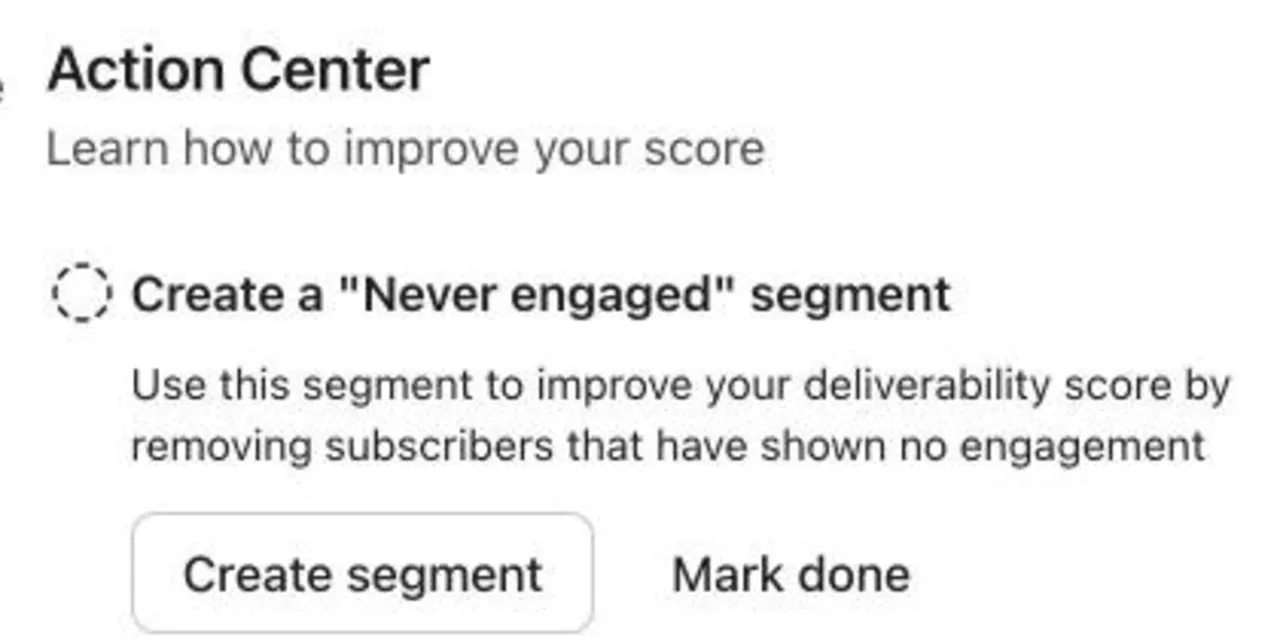
There is also a Score page under Deliverability, with an Action Center of suggested fixes. It only shows a score once you have sent at least 1,000 emails in the last 30 days (Klaviyo's deliverability score guide).
Step 2: Check that your domain is authenticated
Authentication is how a mailbox provider checks that an email claiming to be from your shop really is. Three records in your domain's DNS do this. SPF lists which servers may send mail for your domain. DKIM puts a digital signature on every email, so the receiver can tell nobody changed it on the way. DMARC ties the two to the address people actually see in the From line and tells providers what to do when the check fails. With all three in place and aligned (meaning they point at your domain, not your email tool's), Gmail can build a reputation for your shop specifically.
Without your own branded sending domain, Klaviyo sends from a shared Klaviyo domain, so the DKIM signature belongs to Klaviyo, not to you, and DMARC alignment fails (Klaviyo's explanation). Mailchimp and Shopify Email work the same way: until you authenticate, Shopify even rewrites your sender address to something like store@shopifyemail.com (Shopify's help). Where to check:
| Tool | Where | What "done" looks like |
|---|---|---|
| Klaviyo | Settings, General, Domains, Sending domains | Your own subdomain (for example send.yourshop.com) is listed as verified and active. |
| Mailchimp | Profile icon, Account & billing, Domains | Your domain shows as authenticated (Mailchimp's steps). |
| Shopify Email | Settings, Notifications, Sender email | Your sender address shows as authenticated, not rewritten to shopifyemail.com. |
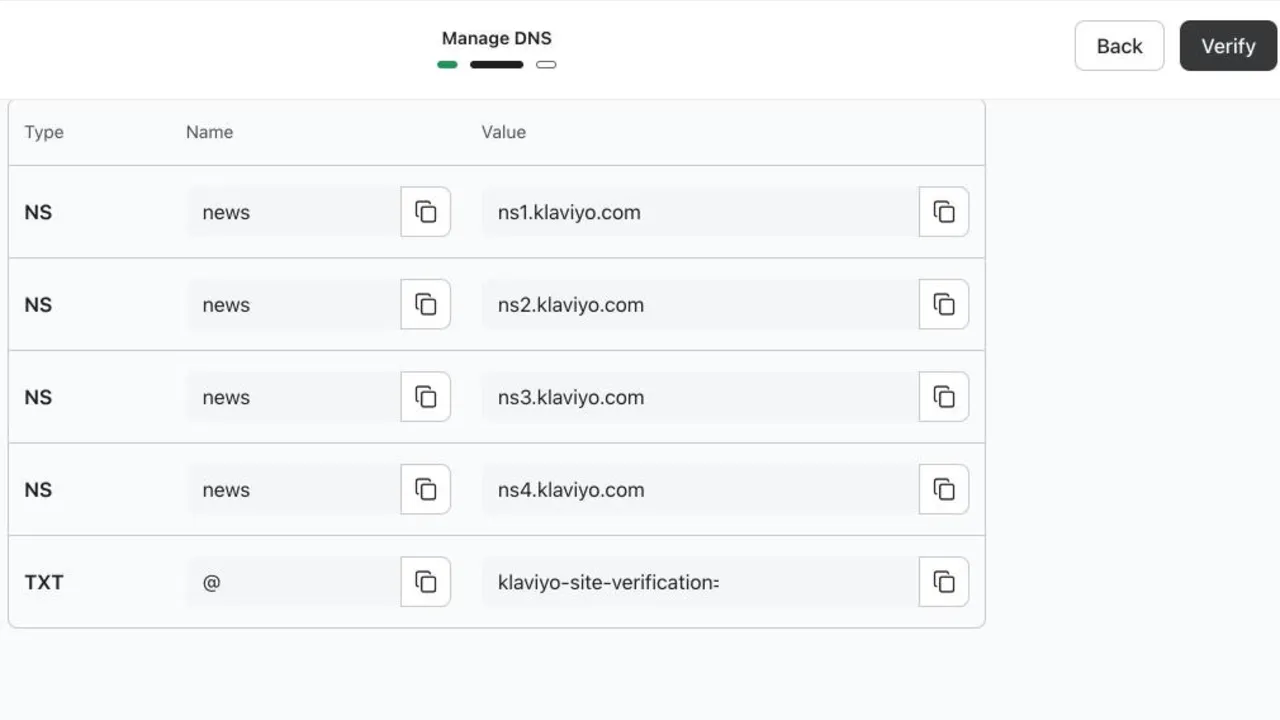
In all three cases you also need one DMARC record on your main domain. p=none is enough to meet the rules. Setting up the domain is its own job with its own traps (NS records, Cloudflare, existing records that clash), and I go through it step by step in how to set up a branded sending domain, DKIM and DMARC. Two rules for now: never send marketing from a @gmail.com or @yahoo.com address, and if you switch to a new sending domain, don't blast your whole list from it on day one. Klaviyo's domain warming guide explains how to move traffic across gradually.
Step 3: Stop emailing people who don't open
This is the fix that works most often, and the one people resist the most, because it makes the list smaller.
Mailbox providers watch what your recipients do. People who open, click and move your mail out of spam tell Gmail you are wanted. People who ignore you for months, or whose address is a dead inbox, tell Gmail the opposite. Spam traps (old, abandoned addresses that providers recycle to catch careless senders) live almost entirely among people who never open.
So you split your list. In Klaviyo:
- Click Audience, then Lists & segments.
- Click Create, then Segment.
- Name it, for example "Engaged 90 days", and click Create manually.
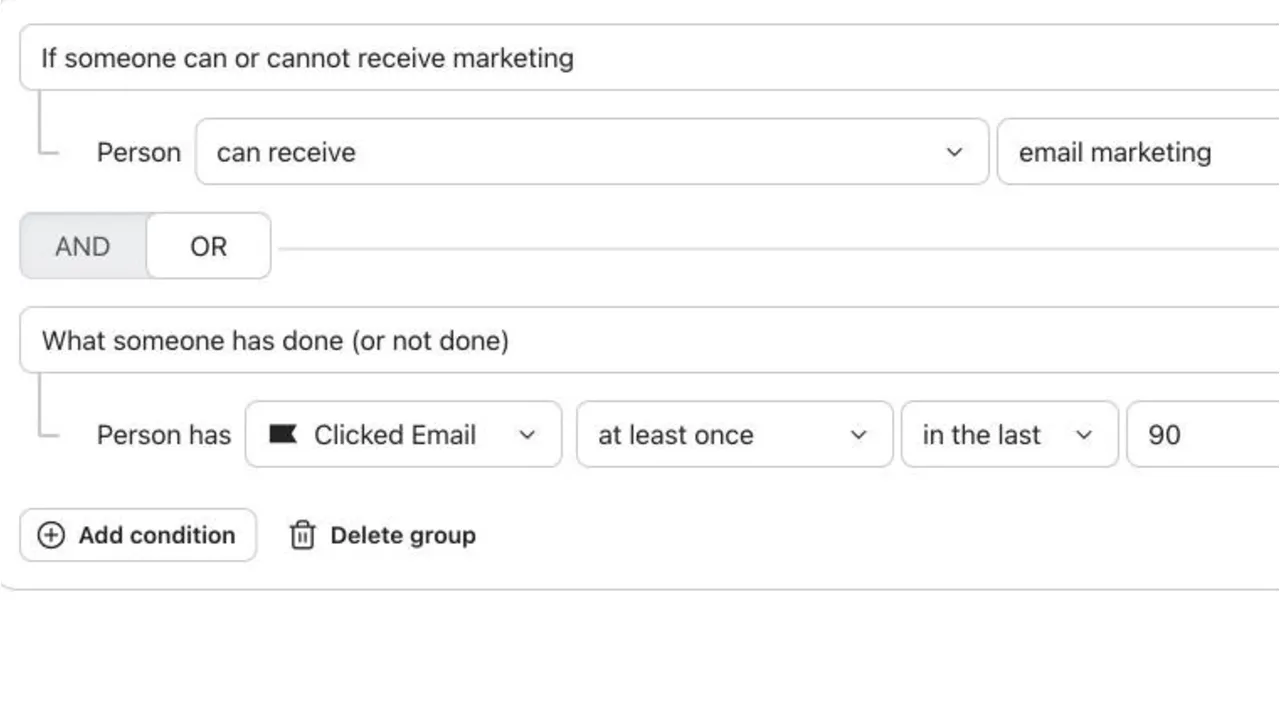
- Click Select a condition and choose If someone can or cannot receive marketing. Leave it on can receive and email marketing.
- Click Add condition, choose What someone has done (or not done), then set it to Clicked Email, at least once, in the last, 90, days.
- Add Opened Email, at least once in the last 90 days as an OR option to the click condition. Click the filter icon on it and set Apple Privacy Open to False.
- Click Create segment.
Step 6 matters. Apple Mail opens every email automatically to load it privately, so an "open" from an iPhone user may mean nothing. Klaviyo lets you filter those out, and its own recipe for an engaged segment offers exactly that filter. Clicks are the honest signal. Klaviyo's recipe can also add people who subscribed in the last 15 days, so brand new subscribers get a chance to open.
Now send campaigns only to this segment for the next few weeks. If you send rarely, use 90 days. If you send several times a week, tighten it to 30 or 60.
Then deal with the dead weight:
- Never engaged. Klaviyo suggests a segment of people who can receive marketing, have received at least 5 emails in the last 180 days, and never opened, clicked or bought. Stop emailing them. You are paying Klaviyo to hurt your reputation with these profiles.
- Bounces. Klaviyo already suppresses an address after one hard bounce (the address doesn't exist) and after 7 soft bounces in a row (temporary failures like a full mailbox). You don't need to clean those by hand. What you should check is where bad addresses come from. A flow with a 13% bounce rate, like this browse abandonment flow, usually means a sign-up form or an import is feeding in typos and fake addresses.
- Bought or imported lists. Never. Yahoo's rules say it outright: send only to people who asked, and no purchased lists (Yahoo's sender best practices).
Two more habits that keep complaints down: make the unsubscribe link easy to find (people who can't find it press "Report spam" instead), and don't send more than about one email per person per day. Klaviyo calls more than that risky.
Step 4: Look for a sudden jump in volume
Go back to the forum post from the start. "Nothing changed" is rarely true. The usual story is one of these:
- Black Friday, so the shop emailed the whole list instead of the usual engaged segment.
- A big import of old customers from Shopify or a previous tool, emailed in the first week.
- A new flow that suddenly sends to thousands of people at once.
Mailbox providers read a sudden spike from a sender with a quiet history as a warning sign. Google says to send at a consistent rate, avoid bursts, and that "the more email that you send, the more slowly you should increase sending volume" (Google's sender guidelines).
So for a big sale, don't suddenly email people you haven't emailed in a year. Send to your 30-day engaged people first, then widen to 60 and 90 days over a few sends. If the open rate holds, keep going. If it drops, stop widening.
Step 5: Only now, look at the content
Here is my strongest opinion: most "spam word" lists are superstition. Words like "free", "sale" or "% off" do not send a shop's email to spam. Every store sends those words every day, and mailbox providers don't publish any banned-word list. Google's guidelines say nothing about words at all. What they do talk about is authentication, complaints, volume, unsubscribes and deceptive formatting.
Content does matter, but in different ways than the lists claim:
| Common advice | Does it matter? |
|---|---|
| Avoid words like "free", "buy now", "limited time". | Barely. A trustworthy sender can say "free shipping". A distrusted one gets filtered no matter what words it uses. |
| Don't write the whole subject in CAPITALS!!! | Yes, a little. Klaviyo says all caps and lots of exclamation marks can trigger filters, and they annoy people, which raises complaints. |
| Don't send an email that is one big image. | Yes. Klaviyo warns that image-only emails may trigger filters. Put real text in the email, and the important words should be text, not pictures. |
| Use plain text to reach the Primary tab. | No. That's the Promotions myth again. |
| Fake "Re:" or "Fwd:" subjects. | Harmful. Google lists it as a practice to avoid. |
| Hide text with HTML or CSS. | Harmful. Google's guidelines say not to hide content with HTML or CSS. |
| Run every email through a spam checker score. | Mildly useful to catch broken code or a missing unsubscribe link. A perfect score does not mean you land in the inbox. |
| Write about what people signed up for. | This one matters most. Mail people don't expect gets reported. |
If you send what people asked for, to people who still want it, the words take care of themselves.
When one provider rejects everything
Sometimes the Reports page shows something odd: Gmail is fine, but one provider bounces almost everything. It comes up again and again on the Klaviyo forum, and it is a different problem from spam placement.
- t-online.de (Germany's biggest mailbox provider) has been a recurring headache for Klaviyo users for years. One forum thread has 37 replies. Klaviyo's article on t-online.de's requirements says t-online.de requires permission and a way to unsubscribe, is strict about sender identity (use the same root domain for your branded sending domain and your sender address), and recommends double opt-in. If Germany is a big market for you, a branded sending domain and double opt-in are not optional.
- iCloud, me.com and mac.com. Several brands saw bounces jump from 0.3% to over 5% overnight in January 2024. Apple has no allow list, but its postmaster page gives a contact address for senders who have checked their setup and still get blocked.
- Hotmail and Outlook. Microsoft's 2025 rules send unauthenticated bulk mail to Junk. Klaviyo users reported whole campaigns going to Junk at Hotmail. Fix authentication first, then send only to recently engaged Microsoft addresses for a while.
What I would do when one provider blocks you:
- Open Bounce details and read the bounce category for that provider. The reason text usually says whether it's authentication, reputation or a block.
- Fix anything authentication-related first (Step 2).
- Stop sending to that provider's unengaged addresses. In the t-online thread, Klaviyo's own team suggested excluding affected profiles with a segment, so they don't get suppressed after repeated soft bounces while you fix the cause.
- If it continues after your setup is clean, contact your email tool's support with the bounce messages, and then the provider's postmaster.
Be honest with yourself about one thing: if one provider is the problem across many brands at the same time, it may be their change, not yours. Your job then is to stay clean and wait, not to rewrite your emails.
Frequently asked questions
How long does it take to get out of spam?
Expect a few weeks, not days. Google says improvements take time to affect classification. In my experience, two to four weeks of sending only to engaged people, at a steady volume, is the realistic range before you widen the list again.
Does a dedicated IP fix spam problems?
Almost never for a normal shop. A dedicated IP is a sending server only you use, and it needs high, steady volume to build a reputation. Klaviyo's own training on dedicated infrastructure says most accounts need a branded sending domain, not a dedicated IP. Fix the domain and the list first.
Why does Klaviyo say "delivered" when the email is in spam?
"Delivered" only means the receiving server accepted the email. It says nothing about which folder it went into. No sending tool can see the folder. That's why you watch open and click rates per provider, and use Google Postmaster Tools for Gmail.
My open rates suddenly dropped. Is that spam?
Not always. A drop in opens at one provider points to spam placement. A drop everywhere at once can also be a tracking change: when Apple started opening emails automatically in 2021, open numbers jumped and became unreliable overnight. Look at click rates too. Clicks don't lie the way opens do.
Do I need DMARC if I send fewer than 5,000 emails a day?
It's only strictly required above that volume. Set it up anyway. It is one DNS record, p=none is enough, and without it your mail cannot be properly tied to your domain at all.