Choosing an ecommerce platform feels straightforward until someone says, “We just need a few custom features.”
A few months later, those features have their own developers, subscriptions and opinions about which updates they will tolerate.
For a typical brand selling products directly to consumers, I would start with Shopify. It gives you a managed foundation, so your team can spend more time selling and less time maintaining the store. But if you already run a successful WordPress site, have demanding wholesale workflows or need unusual control over how commerce works, the answer can change.
My perspective comes from four years working on marketing automation at Bloomreach, including consulting with brands such as Vans and Pandora and later helping shape products as a product manager. I also run my own Shopify store and offer ecommerce consulting through ShopPilot.
That background makes me particularly interested in what happens after launch: can your team update the store, connect marketing tools and improve the customer experience without turning every idea into a development project? The recommendations below focus on that daily work, with current feature and pricing details linked where they affect the decision.
Jump to: quick comparison, Shopify vs WooCommerce, total cost, B2B, integrations, SEO, or the decision checklist.
Which ecommerce platform should you choose
| Your situation | Start by evaluating | Main trade-off |
|---|---|---|
| A consumer brand needing a manageable store and marketing setup | Shopify | You work within its rules and pay for additional capabilities. |
| An established WordPress business needing commerce and code control | WooCommerce | Someone must own hosting, updates and compatibility. |
| A wholesale or mixed wholesale/consumer business | BigCommerce and Shopify, including Plus where needed | Compare actual buyer workflows and plan restrictions. |
| Complex enterprise commerce with specialist engineering support | Adobe Commerce, alongside the hosted alternatives | Architecture and implementation costs become central. |
| A simple store attached to a portfolio, service or content website | Wix or Squarespace | Check your future operational requirements before committing. |
An ecommerce platform manages the machinery behind selling online: products, baskets, checkout and orders. Some also provide hosting, payments and other services. Additional tools can supply functions such as email marketing or specialist search.
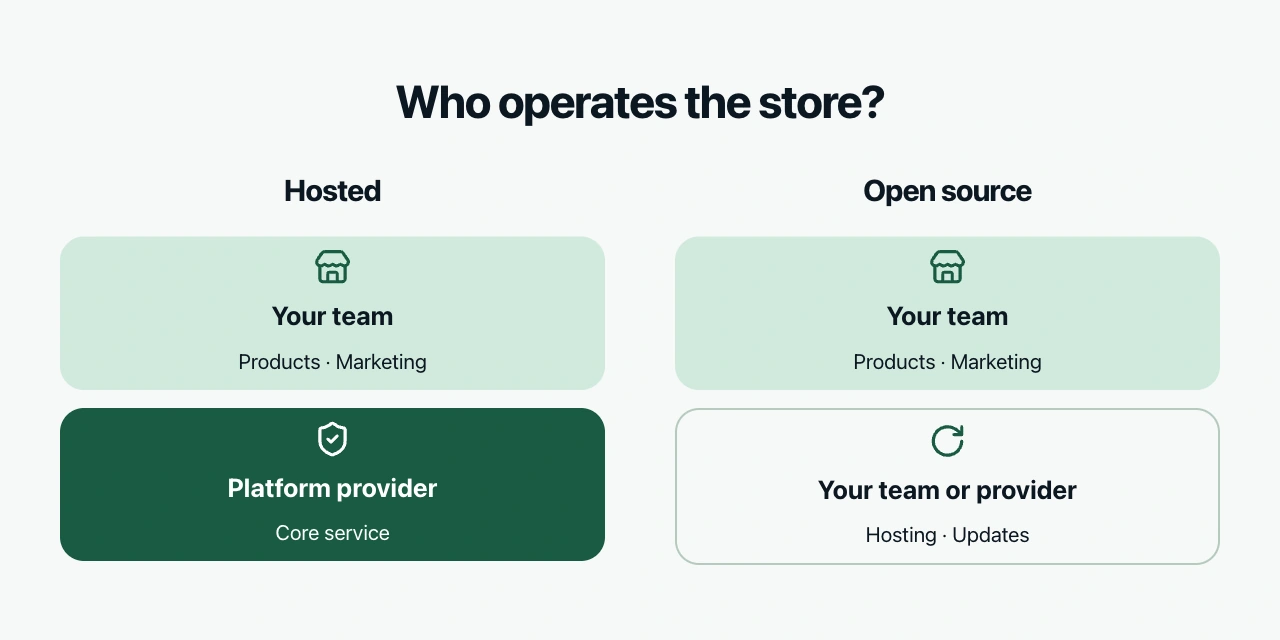
The first important choice is how much of that machinery your team wants to operate.
- A hosted platform, such as Shopify or BigCommerce, runs the core service for you. You configure and extend it within the capabilities it exposes.
- An open-source platform, such as WooCommerce, gives you more control over the software and your choice of hosting. You or a provider must manage the resulting setup.
Neither model removes all work. They change who does it and how much freedom you have.
Shopify vs WooCommerce
Shopify suits teams that want to operate the store themselves
Imagine your marketing team wants to launch a product, build a campaign page and update the promotion. If every change needs a developer, your campaign calendar becomes partly dependent on their availability.
Shopify is my default starting point when avoiding that dependency matters. Its managed hosting, store administration and app integrations provide a foundation for a relatively standard retail business. You can still commission custom work, but you do not need to own the whole underlying application.
The qualification is important: standard retail business. Before choosing, test your most unusual requirement. That might be a product configuration, delivery rule or change inside checkout. A feature being possible somewhere in the ecosystem does not establish that it is straightforward, affordable or available on your plan.
Also check who will use the admin. Shopify Basic does not include additional staff accounts; higher plans provide them. A plan that suits a solo founder may be awkward for a team.
You do not need Plus merely to start automating operations. Shopify Flow is available on Basic, Grow, Advanced and Plus, with some actions restricted by plan. Review what you already have before paying for an app to automate a routine task.
Choose Shopify when your required workflows fit its capabilities and you want the business team to own much of the everyday work.
Look harder at alternatives when an essential requirement needs a fragile workaround or control the platform does not offer.
WooCommerce suits businesses with a reason to keep WordPress and more control
WooCommerce adds commerce to WordPress. Its core software is free, and you can choose hosting, extensions and development providers.
That can be a sensible fit for a business whose publishing workflow already lives in WordPress. You keep commerce close to the content and can change the underlying code when necessary.
The freedom creates responsibility. Hosting, backups, updates, extension compatibility and performance need an owner. Managed hosting and a good agency can take on much of that work, but their service belongs in the budget.
The useful question is therefore not “Can a beginner use WooCommerce?” It is “Who will look after this particular installation?”
Before signing with a provider, ask them to demonstrate a safe update on a staging copy, meaning a separate test version of your store. Then ask who handles a failed payment after an update, restores a backup and checks that checkout still works.
If those answers are clear, WooCommerce's flexibility may be valuable. If the answer is “our freelance developer usually replies,” you have identified an operational dependency before it becomes a Friday evening problem.
Choose WooCommerce when WordPress is already valuable to your business, you need its control and you have credible technical ownership.
Do not choose it just because the software download costs nothing. The running store is what you are buying.
Compare the total cost of running the store
The subscription is only one part of the cost. Compare the same required setup across platforms:
| Cost | What to include |
|---|---|
| Platform and hosting | Plan, hosting and any usage or sales-based charges. |
| Payments | Processing, platform transaction fees and currency conversion. |
| Additional software | Search, reviews, subscriptions, email, shipping and other required tools. |
| Implementation | Design, development, integrations and migration. |
| Ongoing work | Maintenance, support, campaign changes and internal staff time. |
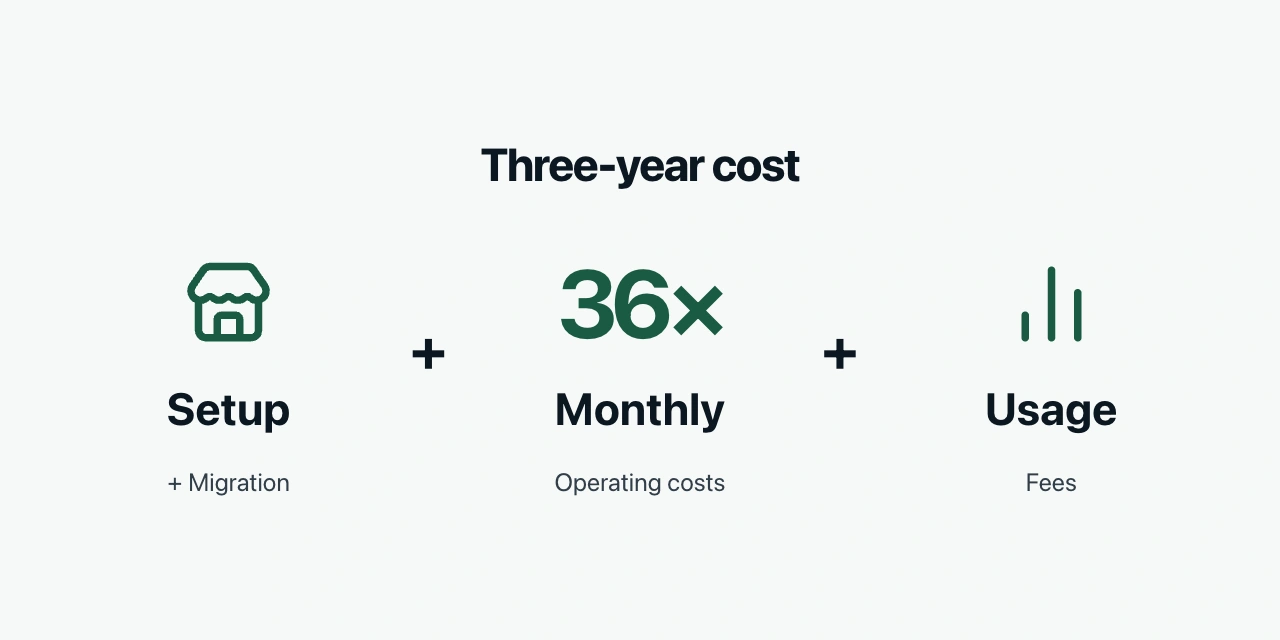
Use a simple calculation:
Three-year cost = setup and migration + 36 × monthly operating costs + expected usage fees.
This is a planning model, not a forecast. Run it at today's sales and a plausible growth scenario, since some costs change with volume.
For example, an extra 1% fee on $100,000 of eligible monthly sales is $1,000 per month. That can matter much more than a $50 difference in subscriptions. Check the actual fee basis and exemptions before putting it into your model.
For Shopify, use the pricing page for your country. Plan costs and payment rates vary by location and billing term. For WooCommerce, get a quote for the complete operating setup rather than comparing its $0 core licence with another platform's subscription.
BigCommerce's current pricing also deserves a careful read. Its self-service plans are Core, Growth and Scale, advertised at US$29, US$79 and US$299 per month on annual billing. Core and Growth have sales thresholds; Scale has an overage model. Orders through “Open Payment Providers” can incur an additional platform fee, separate from processing fees, while listed “Embedded Payment Providers” are exempt.
Shopify Plus vs BigCommerce for B2B
Selling to businesses can involve more than larger baskets. Buyers may need company accounts, negotiated prices, quotes, approval steps, invoices and payment terms. These requirements change the platform decision because they affect how an order is actually placed and paid.
BigCommerce's B2B offering includes buyer portals, company-account functionality, quotes and invoicing workflows. It belongs on the shortlist when these are central to the business. Confirm the edition, implementation and price needed for your combination of requirements.
Shopify also deserves evaluation. Native B2B features are now available on Basic, Grow, Advanced and Plus, with differences by plan. The current plan comparison lists up to three B2B catalogs on the lower plans and unlimited catalogs on Plus. Treating wholesale as exclusively a Plus feature is outdated.
Shopify Plus adds capabilities such as unlimited B2B catalogs, direct catalog assignment to companies and locations, deposit requirements and more checkout customization. Its published USD starting prices are US$2,500 per month on a one-year term or US$2,300 on a three-year term; variable fees can apply.
Rather than asking which platform “wins B2B,” demonstrate one real purchase:
A buyer logs in for their company, sees their agreed prices, requests a quote, obtains approval, places the order on payment terms and later reorders it.
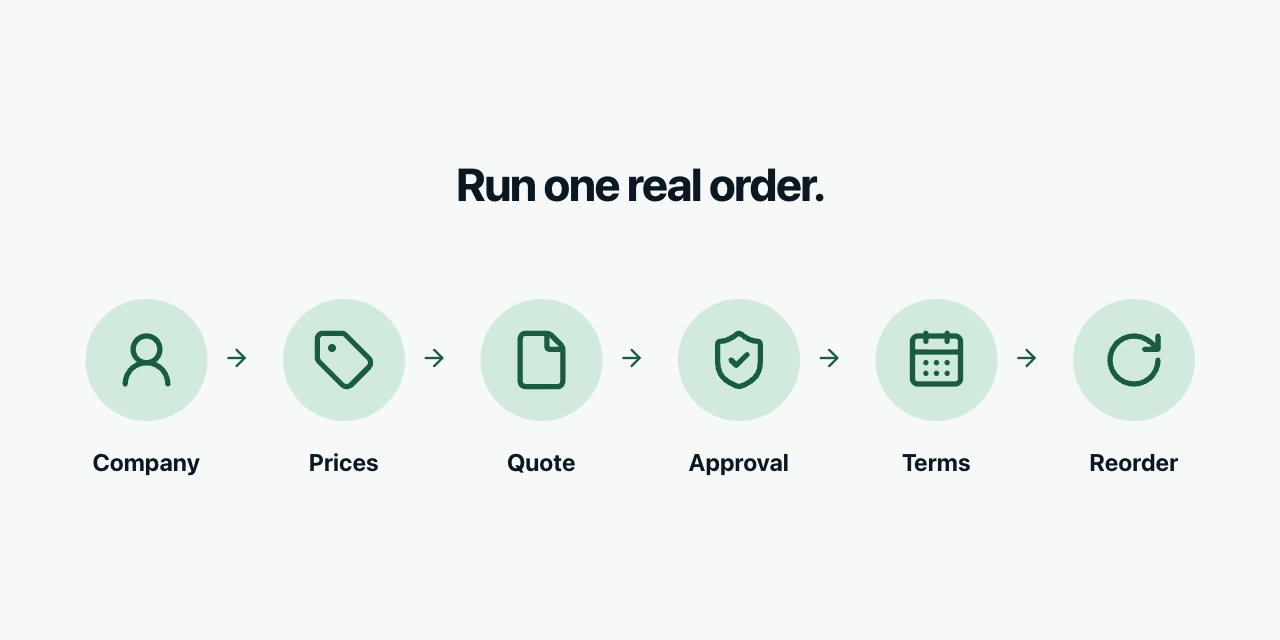
Add only the steps your business requires. Have the vendor or implementation partner show which are native, which need an app and which require custom development.
That exercise will tell you more than counting ticks beside the word “wholesale.”
When Adobe Commerce Wix or Squarespace makes sense
Adobe Commerce deserves consideration when complex requirements justify specialist implementation. Be precise about the product and deployment: Adobe currently offers managed SaaS, cloud PaaS and on-premises options. They differ in how they are extended and maintained. “Magento” on its own is not a sufficiently clear architecture decision.
Ask what must remain custom and why. Then compare the resulting operating model with a hosted alternative using the same workflows. An enterprise label does not automatically make a simpler platform unsuitable.
Wix and Squarespace can make sense when you primarily need an attractive website with a straightforward shop attached. For example, a photographer selling prints should evaluate the publishing and selling work together.
Avoid dismissing them with “they cannot scale.” Define what growth means for you: more products, countries, warehouses, staff, wholesale buyers or integrations. Test the requirements that would change how you operate.
A platform that handles your foreseeable work well can be a better choice than a more elaborate one whose capabilities you never use.
Payments shipping and international selling
Before falling in love with a theme, check whether customers can pay and receive their order the way your business needs.
Shopify Payments eligibility depends on your business location and category. If you need another provider, check availability and the applicable third-party transaction fees. Keep payment processing fees separate from platform fees.
Create a short requirements sheet for each important market:
- Payment methods, settlement currency and refund handling.
- Delivery methods, including the carrier or pickup-point service you actually use.
- Language, currency and product availability.
- Who maintains local prices, content and stock information.
Then test an order and refund for that market. A currency selector proves very little about whether the warehouse, accounting integration and confirmation emails handle the order correctly.
Also decide whether you need one store serving several markets or genuinely separate stores. Different legal entities, catalogs and teams can create more work than simply translating the homepage.
Test integrations before choosing the platform
Our work with marketing tools repeatedly brings the platform decision back to data: what the integration transfers, how quickly it arrives and what happens when it changes.
Suppose you use an email platform to stop checkout reminders after purchase. It needs the order event in time. If you sell in several markets, it also needs the correct product, price and customer context.
A marketplace listing saying “integrates with Shopify” does not answer those questions. The same applies to other platforms.
Test the connections that your business depends on: email marketing, accounting, inventory or an ERP, the system managing broader business operations. Use a real product and test customer, then follow an order, cancellation and refund through the systems.
Check:
- Which records and events arrive, and which need custom work.
- Whether order totals, currencies and refunds retain their meaning.
- How failures are detected and who resolves them.
- Whether your team can export the information it needs.
This is particularly important when an enterprise already maintains a central database. Decide which system owns product, customer and order information before allowing several integrations to update it independently.
For more on why those connections matter, read our guide to ecommerce marketing in 2026.
Which ecommerce platform is best for SEO
Search engine optimization, or SEO, helps search engines discover and understand pages that answer relevant searches. Platform capabilities matter, but choosing a platform does not substitute for useful pages and a well-maintained site.
WooCommerce offers the publishing environment and control of WordPress. Shopify provides a more standardized setup with built-in SEO capabilities. The appropriate choice depends on what you need to publish or change and who will maintain it.
Be careful with old comparison claims. Shopify now supports editing its robots.txt template, which controls crawler access. That does not mean you should change it; the default suits most stores.
To evaluate any platform, build one representative product page, category page and buying guide. Check that you can manage page titles, links, redirects and the content your customers need. Test mobile performance with the actual theme and required apps.
If you are migrating, map important old URLs to relevant new pages and check redirects before launch. Keep your strongest content and review indexing and traffic in Search Console afterwards.
Migrating for “better SEO” without identifying a specific limitation risks paying for a new website and importing the same content problems.
Does AI change the platform choice
AI can help prepare content, investigate data and make changes, but it still needs access to the relevant systems and a way for you to check its work.
A useful evaluation task might be: “Find missing size information across these products and prepare corrections for review.” Test whether the assistant can identify the right products, use reliable facts and show the proposed changes.
Do not choose your core platform because an impressive demo wrote a product description. Ask whether the assistant completes recurring work in your setup, how permissions work and whether you can reverse a mistake.
This applies equally to native assistants, external tools and AI consulting. The value lies in the work completed and the review time saved.
A practical way to make the decision
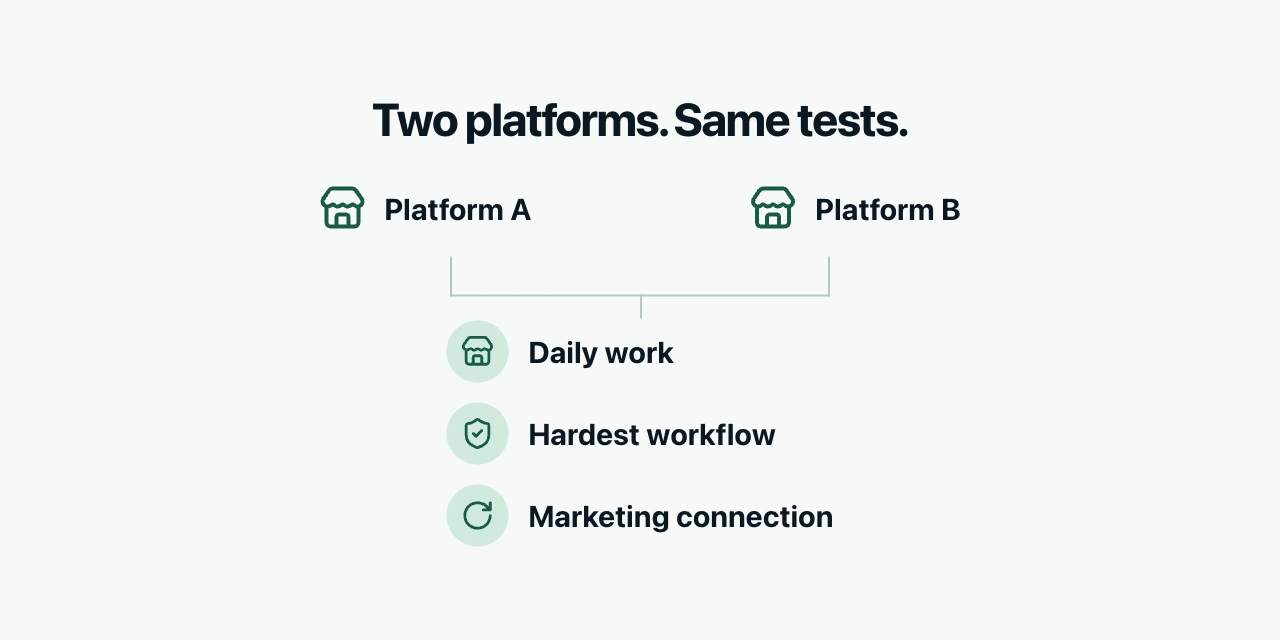
Shortlist two platforms. Use the same products and requirements in both, then run three exercises:
- A normal working day: add a product, update a page, launch a promotion and handle a refund.
- Your hardest essential workflow: a wholesale order, complicated product or international purchase.
- A marketing connection: transfer an order and refund correctly into your reporting and email tools.
Record what works natively, what needs additional software, who maintains it and the three-year cost.
My starting recommendation remains Shopify for a typical consumer brand, WooCommerce where WordPress and technical control have a clear purpose, and a workflow-based comparison of Shopify and BigCommerce for wholesale. Bring Adobe Commerce into the discussion when complexity justifies its operating model.
If your current platform already passes those tests, improving it may be more valuable than replacing it. A replatforming project will not explain why customers do not understand your delivery policy.
If you need help evaluating the marketing and operational implications, that is part of our ecommerce consulting at ShopPilot.
Frequently asked questions
Is Shopify better than WooCommerce
For a typical consumer brand seeking less infrastructure work, Shopify is my starting recommendation. WooCommerce is a strong alternative when WordPress, code control and a reliable maintenance arrangement are important to the business.
Is WooCommerce cheaper than Shopify
Its core software is free, but hosting, extensions, development and maintenance still cost money. Compare the same complete setup over several years. Either platform can be more economical depending on requirements and who does the work.
Do I need Shopify Plus for B2B
No. B2B features are available on Basic, Grow and Advanced as well as Plus. Plus adds capabilities for more demanding requirements; check your specific buying workflow against the current plan limits.
Is BigCommerce free of transaction fees
Do not assume that. Its current self-service pricing distinguishes Embedded and Open Payment Providers, with additional platform fees for eligible orders using Open providers. Processing fees remain a separate cost.
Should I build a headless ecommerce store
“Headless” means building the customer-facing website separately from the commerce backend and connecting them through APIs. It can provide useful control, but adds software and integrations to maintain. Choose it when a specific requirement justifies that work, rather than as a default upgrade.