You can now ask an AI assistant to investigate your Google Ads account, draft new ads and, with the right connection, make campaign changes.
That is useful. It is also possible to make the wrong decision considerably faster.
Imagine selling coffee beans and asking AI to find wasted spend. It flags “best coffee for espresso” because the search produced no orders yesterday. The phrase looks like a perfectly reasonable thing for your next customer to search. One quiet day does not change that.
The opportunity is to give AI the time-consuming preparation: gathering data, checking patterns and drafting work you can review. You still need to explain what a good customer looks like and what makes an order profitable.
My perspective comes from four years working on marketing automation at Bloomreach, running my own Shopify store and offering consulting through ShopPilot. This article focuses on practical workflows you can understand and check, with the business decisions explained alongside the prompts.
Start with one account and one recurring job. Search-term review is a particularly useful first choice.
Jump to connecting your account, search-term reviews, ad copy, performance analysis, or the weekly routine.
Give AI a business brief before giving it an account
Google Ads records clicks, spend and conversions. It does not automatically know your margins, warehouse problems or which products you no longer want to sell.
A conversion is an action you track, such as a purchase or form submission. Its definition matters: ten purchases and ten newsletter signups are very different outcomes, even if a report calls both “conversions.”
Before asking for recommendations, give your assistant a short brief:
| Information | Why it matters |
|---|---|
| Products, customers and markets | Defines which searches and traffic are relevant. |
| Purchase tracking and value definition | Makes the reported results interpretable. |
| Margins, returns and delivery costs | Helps distinguish sales from worthwhile sales. |
| Budget and target | Defines what the account is trying to achieve. |
| Stock, offers and product restrictions | Stops recommendations based on products or claims you cannot support. |
ROAS, or return on ad spend, is recorded conversion value divided by advertising spend. A 4× ROAS means $4 in recorded value for every $1 spent. It does not mean $3 in profit.
For a simplified example, if 40% of net sales remains after variable costs but before advertising, a 2.5× ROAS uses all of that contribution on ads: $100 in sales leaves $40, and acquiring it costs $40. That is break-even before overheads, assuming the sales and costs are measured consistently.
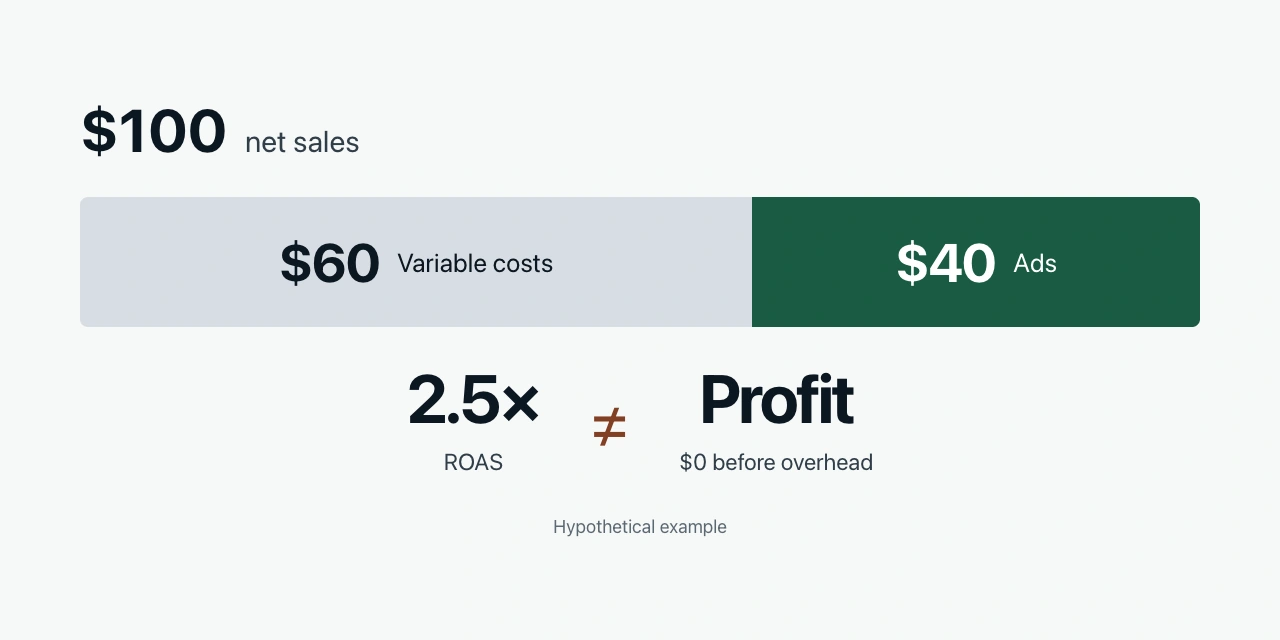
Give AI those definitions. Otherwise it may congratulate you on selling more of your least profitable product.
Keep the brief in a reusable document. In Claude Code, that can be a project instruction file; in a chat assistant, attach it or use the client's saved instructions. Update it when the business changes.
Check what your campaigns are actually optimizing
If purchases are your goal, first check whether the campaigns are configured to pursue purchases.
Google distinguishes primary and secondary conversion actions. Primary actions can guide bidding when their standard goal is selected for the campaign. Secondary actions usually provide observation, although custom goals can use them for bidding too.
A useful first request:
List the conversion actions and the goals used by each campaign. Identify which actions influence bidding. Flag cases where a sales campaign appears to optimize for an action other than a completed purchase. Show the settings; do not change them.
Then test a purchase and check the recorded value, currency and transaction identifier. Also check whether the same purchase is counted through more than one tracking implementation.
An assistant can inspect configuration and help interpret test evidence. A successful API connection alone does not demonstrate that your website records purchases correctly.
Connect Google Ads to your AI assistant
There are three sensible starting routes:
| Route | Good starting point when | What to check |
|---|---|---|
| Export a report and upload it | You want to test whether AI analysis helps before integrating anything. | Date range, columns, currency and data freshness. |
| Google's official MCP server | You have technical help and want account queries through an AI client. | Authentication, account access and the tools exposed. |
| Adchestra MCP | You want to skip technical setup and maintenance. | Account access, available actions and approval settings. |
MCP, the Model Context Protocol, is a standard way for an AI assistant to call tools. In this case, those tools use the Google Ads API, the interface through which software requests account data or supported changes. The connector determines what the assistant can do.
Google's official server currently documents three tools for account discovery, metadata and queries. That gives you a reporting connection; it does not provide campaign-write tools.
You can do this with a free DIY connection; your AI tool and ad spend are separate. If you'd rather skip technical setup and maintenance, I built Adchestra MCP, my own product, to manage Google Ads directly from your AI for $2.95 USD/month.
For a detailed video walkthrough, I recommend Jono Catliff's Google Ads and Claude Code tutorial. Use your store's products and purchase goals when following along, rather than copying another business's campaign settings.
Whichever route you choose, start with reporting access. Request one campaign report and compare it with Google Ads using the same account, dates, timezone and columns. Check conversion definitions and money units too: raw API fields ending in _micros represent millionths of a currency unit.
Use actual access controls to restrict changes. Writing “do not change anything” in a prompt is useful instruction, but it is not a substitute for restricting the tools or account permissions.
Find irrelevant searches without blocking buyers
A keyword is what you use to target searches. A search term is what the person actually typed. Reviewing the latter helps you understand what you paid for.
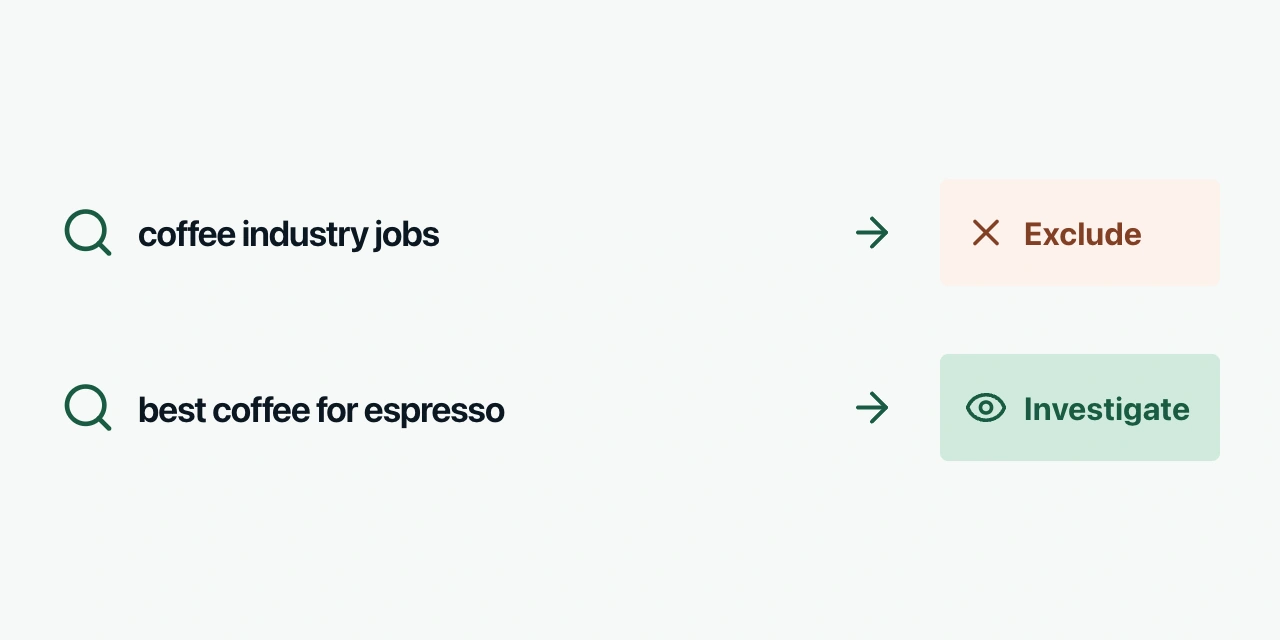
For a coffee-bean store, “coffee industry jobs” is likely irrelevant. “Best coffee for espresso” could be a buyer researching their options. The right response may be a better product page rather than blocking the search.
Ask AI to separate two questions:
- Does this search match someone we could reasonably sell to?
- Is there enough performance evidence to justify a change?
A negative keyword excludes matching searches. That makes it useful for irrelevant demand, but potentially costly if you accidentally exclude customers.
Try this:
Review the available Search campaign search terms over the last 30 complete days. Show term, campaign, ad group, matched keyword, spend, clicks, purchase conversions and conversion value. Classify relevant, clearly irrelevant or uncertain using our product brief. Separate low-volume cases from well-supported findings and account for conversion delay. For proposed negatives, specify match type and scope. Do not apply anything.
The 30-day window is a starting point, not a statistical rule. A low-volume or long-consideration account may need a longer period.
Google's search-term report does not expose every query, including some low-volume searches omitted for privacy. An assistant cannot recover hidden terms merely by connecting to the API.
Also check the exclusion carefully. Negative keywords use their own match rules and do not automatically cover close variants. A campaign-level exclusion affects one campaign; a shared list can affect several.
For ecommerce, words such as “cheap,” “reviews” or “free shipping” are not universal signs of bad traffic. They may describe exactly how your customers shop. Approve exclusions based on the actual meaning, scope and evidence.
Write ads that match the search and the page
Once a search is relevant, the next question is whether the experience answers it.
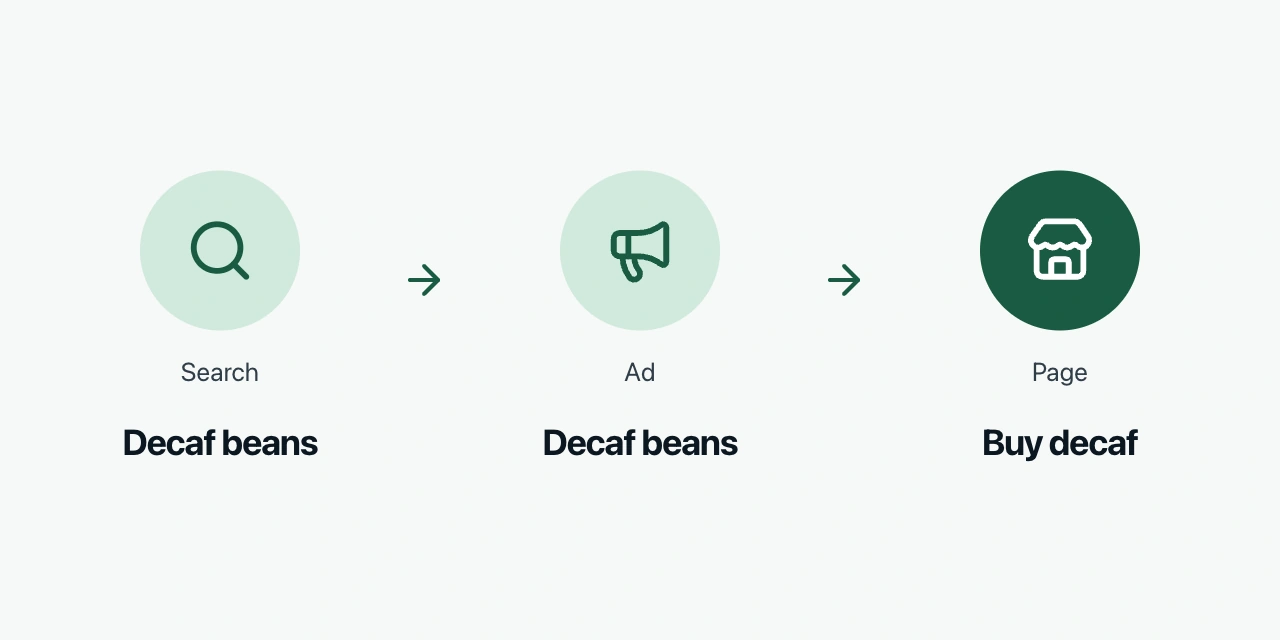
Someone searching for “decaf coffee beans” should see an ad about decaf and arrive somewhere they can buy it. Sending them to a general homepage creates another search for the customer to complete.
AI can help group keywords by buying intent and prepare corresponding ads. Start with a small group of searches that share an offer and destination. You do not need a separate ad group for every spelling variation.
Try this:
For our decaf coffee category, draft responsive search ad assets using the attached product facts and landing page. Cover taste, decaffeination method, delivery and a clear next step. Show a source for each factual claim. Include character counts and check whether different headline combinations repeat or contradict each other. Flag missing facts instead of inventing them.
A responsive search ad can contain up to 15 headlines and four descriptions. Headlines allow 30 characters; descriptions allow 90. Google combines the assets, so they need to work together.
Review facts before style. “Delivered tomorrow,” “organic” and “free returns” need to be true for the customer seeing the ad. A polished sentence does not make an invented delivery promise less expensive.
Then inspect the mobile landing page. Is the advertised product available? Can customers find the relevant information and complete checkout? AI-generated variants are less useful when the page cannot fulfil the offer.
For the wider connection between ads, storefront and follow-up messages, see our guide to ecommerce marketing.
Investigate performance before changing the budget
AI is useful for gathering the context behind a change. It is less useful when asked to explain a single number without checking what produced it.
If ROAS falls, several things could have changed: click costs, the proportion of visitors who purchase, order value, product mix or tracking. These lead to different actions.
Ask:
Compare the last 28 complete days with the preceding 28. State the account, timezone, currency and conversion definitions. Break down changes in spend, clicks, average click cost, purchase rate, order value and ROAS. Separate brand searches from other demand where the campaign structure permits. Check recent account changes and conversion delay. Rank the three most important findings by financial relevance, show the calculations and distinguish observations from possible explanations.
Conversion delay matters because a customer can click now and purchase later. Recent periods can therefore look worse before all conversions arrive. Avoid comparing an incomplete recent period with an older one as if both were settled.
Separate brand demand because people searching your name may already know the business. Their performance can differ substantially from people discovering you. A strong combined ROAS can conceal weaker results elsewhere.
For Shopping and Performance Max, add product availability, pricing and Merchant Center diagnostics to the investigation. If a popular item is unavailable or cannot serve, an ad-copy rewrite may miss the cause entirely. Missing product or channel data should remain missing; ask the assistant to identify it.
When combining store and Ads data, define how you attribute orders. Matching campaign names is not enough to prove which campaign caused a sale. Use a consistent reporting method and keep platform attribution distinct from profit and incremental sales.
Work with Google's automation rather than constantly overriding it
Google Ads already uses AI. Smart Bidding adjusts bids at auction time to pursue conversions or conversion value.
A connected assistant has a different useful role: checking goals and inputs, investigating results, preparing assets and proposing account changes. It does not need to imitate Google's bidding system.
For example, a good campaign reaching a budget limit may deserve more spend, but its historical average ROAS does not guarantee the return on the next dollar. Product stock, demand and the bidding strategy also matter.
Ask for a bounded test: the current setting, proposed change, reason, expected direction of effect and review date. Keep a record of what was applied. Avoid changing budgets, targets, ads and landing pages simultaneously if you want to understand which intervention helped.
For a new campaign, have AI prepare the structure and assets for review. Keep it paused while you check the budget, goals, locations, URLs and claims.
Search is a useful place to learn because the query gives you explicit customer intent. That is a starting preference, not a rule that Shopping or Performance Max cannot work. Judge them using the economics and evidence of your own account.
Build a small weekly routine
Give AI a repeatable job rather than an open invitation to “optimize everything.”
Each week, ask for a short report covering spend against your plan, material performance changes, relevant search-term findings and the status of the previous changes. Require the supporting numbers and limit the proposed work to a few priorities.
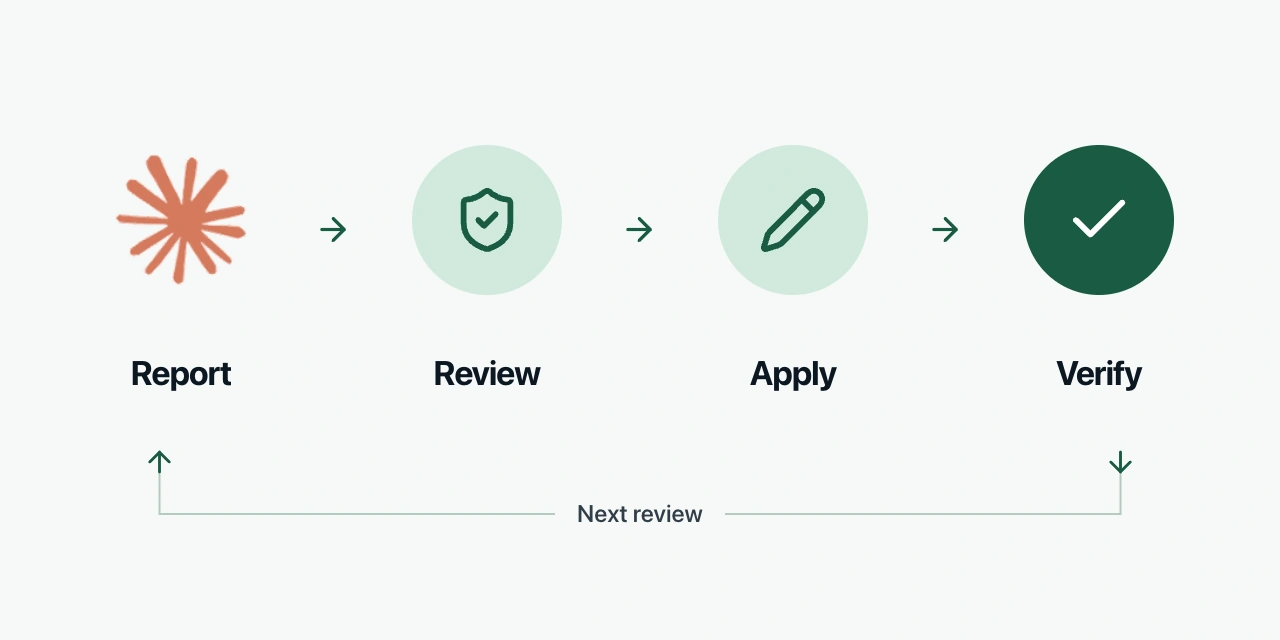
Choose one improvement, review it, apply it through an appropriate tool and verify the live setting afterwards. Record the review date and outcome. A busy change log is not evidence of a better account.
If you are starting today, export one campaign's search terms and give AI your product brief. Ask it to identify clearly irrelevant demand, promising demand and cases it cannot judge. You will learn quickly whether its reasoning deserves a closer connection to your account.
Frequently asked questions
Can Claude manage Google Ads
It can analyze exported data or use connected tools. Executing changes requires a connector that exposes write actions and account access that permits them. Google Ads MCP currently supports reading account data. Adchestra MCP also supports campaign changes after your approval.
Do I need an MCP server to start
No. A report export is enough to test a useful analysis workflow. Connect live data once repeated exports become a meaningful obstacle.
Can AI replace my Google Ads agency
It can reduce reporting, drafting and investigation work. Replacing an agency also requires someone to own measurement, product economics, strategy and the judgment behind changes. Evaluate completed work and results rather than the number of tasks the assistant can describe.